July 9, 2026
Install Fumadocs in a Next.js 15+ App

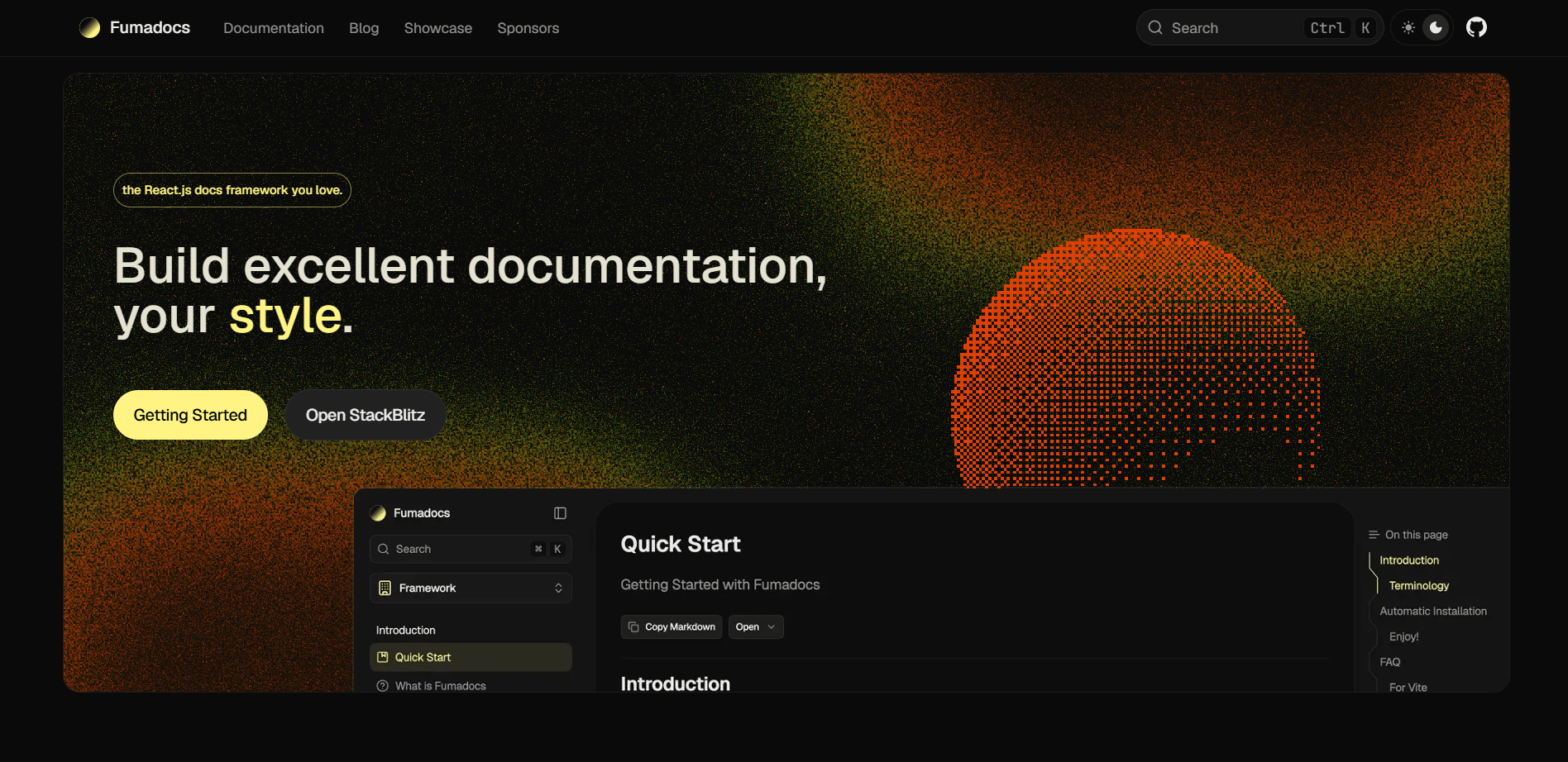
Reference: fumadocs.dev
This guide follows the same kind of setup used in this app: Next.js App Router, Tailwind CSS,
fumadocs-mdx,fumadocs-ui, a/docsroute, static docs pages, and a static search API route.
backstory
I wanted docs that felt like part of the app, not a separate website bolted onto the side.
Fumadocs is useful because it gives you three separate pieces that work together:
fumadocs-mdxprocesses your local MDX files.fumadocs-coreturns those files into a docs source, page tree, search data, slugs, and routes.fumadocs-uigives you ready-made docs layouts, navigation, page UI, MDX components, and search UI.
The important idea is this:
Your MDX files live in
content/docs, but your routes live inapp/docs.
That means you write documentation as content, while Next.js still controls routing through the App Router.
what we are building
By the end, you will have this:
app/
  api/
    search/
      route.ts
  docs/
    [[...slug]]/
      page.tsx
    layout.tsx
  layout.tsx
  layout.config.tsx
  globals.css

components/
  shared/
    root-provider.tsx

content/
  docs/
    introduction.mdx
    meta.json

lib/
  source.tsx

source.config.ts
next.config.ts
tsconfig.json
Your docs will be available at:
/docs
/docs/introduction
/docs/any-folder/any-page
prerequisites
Before installing Fumadocs, make sure your app already has:
- Next.js 15 or newer
- App Router using the
appdirectory - React 19 if your Next version expects it
- Tailwind CSS configured
- TypeScript configured
- A global CSS file, usually
app/globals.css - Node.js 22 or newer if you are following the latest Fumadocs docs closely
In this project, the current setup is already close to the latest Fumadocs manual install flow:
{
  "next": "16.2.10",
  "react": "19.2.4",
  "fumadocs-core": "^16.11.1",
  "fumadocs-mdx": "^15.1.0",
  "fumadocs-ui": "^16.11.1",
  "tailwindcss": "^4"
}
If you are on Next 15, the structure is still the same. Just keep your Fumadocs package versions compatible with your Next and React versions.
step 1: install the packages
Install the Fumadocs packages:
pnpm add fumadocs-mdx fumadocs-core fumadocs-ui @types/mdxIf you use extra docs features like Git-based last modified dates, generated install commands, or GitHub-flavored markdown tables, install these too:
pnpm add fumadocs-docgen remark-gfmIf your docs UI uses icons from Lucide, install this:
pnpm add lucide-reactYour final dependency list may look like this:
{
  "dependencies": {
    "fumadocs-core": "^16.11.1",
    "fumadocs-mdx": "^15.1.0",
    "fumadocs-ui": "^16.11.1",
    "@types/mdx": "^2.0.14",
    "fumadocs-docgen": "^3.1.0",
    "remark-gfm": "^4.0.1",
    "lucide-react": "^1.23.0"
  }
}
step 2: add the Fumadocs postinstall script
In package.json, add this:
{
  "scripts": {
    "dev": "next dev",
    "build": "next build",
    "start": "next start",
    "lint": "eslint",
    "postinstall": "fumadocs-mdx"
  }
}
Why this matters:
- Fumadocs generates a
.sourcefolder from your MDX config. - Your app imports generated files from
.source/server. - Running
fumadocs-mdxafter install keeps that generated source available.
You can also generate it manually:
pnpm fumadocs-mdxstep 3: create source.config.ts
Create this file at the project root:
import {
  defineDocs,
  defineConfig,
  frontmatterSchema,
} from 'fumadocs-mdx/config';
import lastModified from 'fumadocs-mdx/plugins/last-modified';
import { remarkInstall } from 'fumadocs-docgen';
import remarkGfm from 'remark-gfm';
import { z } from 'zod';

export const { docs, meta } = defineDocs({
  dir: 'content/docs',
  docs: {
    schema: frontmatterSchema.extend({
      new: z.boolean().default(false),
      pro: z.boolean().default(false),
      updated: z.boolean().default(false),
    }),
  },
});

export default defineConfig({
  plugins: [lastModified({ versionControl: 'git' })],
  mdxOptions: {
    remarkPlugins: [remarkInstall, remarkGfm],
  },
});
What this file does:
defineDocs()tells Fumadocs where your docs content lives.dir: 'content/docs'means all docs MDX files go insidecontent/docs.docsis your page collection.metais your navigation metadata collection.frontmatterSchema.extend(...)lets your docs use custom fields likenew,pro, andupdated.lastModified()can add last modified data from Git.remarkGfmenables GitHub-flavored Markdown, like tables and task lists.
Important:
In newer Fumadocs setups, use
plugins: [lastModified({ versionControl: 'git' })].Older snippets may show
lastModifiedTime: 'git', but that belongs to older versions.
step 4: connect Fumadocs to Next.js
Open next.config.ts and wrap your Next config with createMDX().
Simple version:
import { createMDX } from 'fumadocs-mdx/next';
import type { NextConfig } from 'next';

const config: NextConfig = {
  reactStrictMode: true,
};

const withMDX = createMDX();

export default withMDX(config);
If you already have other wrappers, compose them carefully.
For example, this app also uses a bundle analyzer:
import createBundleAnalyzer from '@next/bundle-analyzer';
import { createMDX } from 'fumadocs-mdx/next';
import type { NextConfig } from 'next';

const withAnalyzer = createBundleAnalyzer({
  enabled: process.env.ANALYZE === 'true',
});

const config: NextConfig = {
  reactStrictMode: true,
};

const withMDX = createMDX();

export default withAnalyzer(withMDX(config));
Why this matters:
createMDX()lets Next understand the generated Fumadocs MDX source.- Without this wrapper,
.mdxprocessing and.sourcegeneration will not line up correctly.
step 5: set up TypeScript paths
Open tsconfig.json and make sure you have your normal app alias:
{
  "compilerOptions": {
    "baseUrl": ".",
    "paths": {
      "@/*": ["./*"]
    }
  }
}
Some Fumadocs examples use an alias like this:
{
  "compilerOptions": {
    "paths": {
      "collections/*": ["./.source/*"]
    }
  }
}
In this app, the source imports use:
import { docs, meta } from '@/.source/server';So the normal @/* alias is enough.
step 6: create the docs content folder
Create:
content/docsThen add your first page:
---
title: Introduction
description: Welcome to the docs.
icon: BookOpen
---

# Introduction

This is my first Fumadocs page.
Fumadocs uses the file path to build the route:
content/docs/introduction.mdx -> /docs/introduction
content/docs/getting-started/install.mdx -> /docs/getting-started/install
If you want /docs itself to show a page, you can create:
content/docs/index.mdxor redirect /docs to another page from your route file.
step 7: add navigation metadata with meta.json
Create:
{
  "title": "Documentation",
  "pages": ["introduction", "install-fumadocs-nextjs"]
}
What this does:
titlenames the sidebar group.pagescontrols the order.- File names are written without
.mdx.
For folders, you can add a nested meta.json:
content/docs/
  meta.json
  getting-started/
    meta.json
    installation.mdx
    configuration.mdx
Example:
{
  "title": "Getting Started",
  "pages": ["installation", "configuration"]
}
step 8: create lib/source.tsx
Create:
import { docs, meta } from '@/.source/server';
import { toFumadocsSource } from 'fumadocs-mdx/runtime/server';
import { loader } from 'fumadocs-core/source';

export const source = loader({
  baseUrl: '/docs',
  source: toFumadocsSource(docs, meta),
});
This file is the bridge between your generated MDX content and the Fumadocs UI routes.
Important version note:
If you see old code using
createMDXSourcefromfumadocs-mdx, do not use it in this setup.In this app, the working pattern is
toFumadocsSourcefromfumadocs-mdx/runtime/server.
If you want Lucide icons from frontmatter, use this richer version:
import { docs, meta } from '@/.source/server';
import { toFumadocsSource } from 'fumadocs-mdx/runtime/server';
import { loader } from 'fumadocs-core/source';
import { icons } from 'lucide-react';
import { createElement } from 'react';

export const source = loader({
  baseUrl: '/docs',
  source: toFumadocsSource(docs, meta),
  icon(icon) {
    if (!icon) return;
    if (icon in icons) return createElement(icons[icon as keyof typeof icons]);
  },
});
Now frontmatter like this can render an icon:
---
title: Introduction
icon: BookOpen
---
step 9: add Fumadocs styles
Open your global CSS file:
@import 'tailwindcss';
@import 'fumadocs-ui/css/neutral.css';
@import 'fumadocs-ui/css/preset.css';
Why this matters:
neutral.cssgives the Fumadocs theme color tokens.preset.cssgives the docs UI components their expected styling.- Keep these imports near your global Tailwind import.
If your app already has many custom CSS variables, keep them below or above based on which values you want to win.
step 10: wrap your app with RootProvider
Fumadocs UI needs its provider near the root of the app.
You can use it directly:
import './globals.css';
import type { ReactNode } from 'react';
import { RootProvider } from 'fumadocs-ui/provider/next';

export default function RootLayout({ children }: { children: ReactNode }) {
  return (
    <html lang="en" suppressHydrationWarning>
      <body className="flex min-h-screen flex-col">
        <RootProvider>{children}</RootProvider>
      </body>
    </html>
  );
}
In this app, a local wrapper is used instead:
'use client';

import {
  RootProvider as FumadocsRootProvider,
  type RootProviderProps,
} from 'fumadocs-ui/provider/next';

export function RootProvider(props: RootProviderProps) {
  return <FumadocsRootProvider {...props} />;
}
Then you can use the wrapper in your root layout or docs layout:
import { RootProvider } from '@/components/shared/root-provider';Important version note:
In newer Fumadocs UI versions, import from
fumadocs-ui/provider/next.If you copied older code using
fumadocs-ui/provider, it can fail withCannot find module 'fumadocs-ui/provider'.
step 11: create shared layout options
Create:
import type { BaseLayoutProps } from 'fumadocs-ui/layouts/shared';

export const baseOptions: BaseLayoutProps = {
  nav: {
    title: 'My Docs',
  },
  links: [
    {
      text: 'Home',
      url: '/',
    },
    {
      text: 'Docs',
      url: '/docs',
      active: 'nested-url',
    },
  ],
};
Why this matters:
baseOptionskeeps your docs layout clean.- You can reuse the same nav title and links in different Fumadocs layouts.
step 12: create the docs layout
Create:
import { source } from '@/lib/source';
import type { ReactNode } from 'react';
import { baseOptions } from '../layout.config';
import { DocsLayout } from 'fumadocs-ui/layouts/notebook';
import { RootProvider } from '@/components/shared/root-provider';

export default function Layout({ children }: { children: ReactNode }) {
  return (
    <RootProvider
      search={{
        options: {
          type: 'static',
        },
      }}
    >
      <DocsLayout
        {...baseOptions}
        tree={source.pageTree}
        sidebar={{
          prefetch: false,
          defaultOpenLevel: 1,
        }}
      >
        {children}
      </DocsLayout>
    </RootProvider>
  );
}
What this does:
DocsLayoutrenders the docs shell.tree={source.pageTree}gives the sidebar its navigation data.type: 'static'matches the static search route we will create later.prefetch: falsecan reduce unnecessary route prefetching in larger docs.
You can switch layouts if you want:
import { DocsLayout } from 'fumadocs-ui/layouts/docs';or:
import { DocsLayout } from 'fumadocs-ui/layouts/notebook';This app uses the notebook layout.
step 13: create the docs page route
Create:
import { source } from '@/lib/source';
import {
  DocsPage,
  DocsBody,
  DocsTitle,
  DocsDescription,
} from 'fumadocs-ui/page';
import defaultMdxComponents from 'fumadocs-ui/mdx';
import { notFound, redirect } from 'next/navigation';

export default async function Page(props: {
  params: Promise<{ slug?: string[] }>;
}) {
  const params = await props.params;
  const page = source.getPage(params.slug);

  if (!page) redirect('/docs/introduction');

  const MDX = page.data.body;

  return (
    <DocsPage
      toc={page.data.toc}
      full={page.data.full}
      tableOfContent={{
        single: false,
        style: 'clerk',
      }}
      breadcrumb={{
        enabled: false,
      }}
    >
      <DocsTitle>{page.data.title}</DocsTitle>
      <DocsDescription>{page.data.description}</DocsDescription>
      <DocsBody>
        <MDX
          components={{
            ...defaultMdxComponents,
          }}
        />
      </DocsBody>
    </DocsPage>
  );
}

export const dynamic = 'force-static';
export const dynamicParams = false;

export async function generateStaticParams() {
  return source.generateParams();
}

export async function generateMetadata(props: {
  params: Promise<{ slug?: string[] }>;
}) {
  const params = await props.params;
  const page = source.getPage(params.slug);

  if (!page) return {};

  return {
    title: page.data.title,
    description: page.data.description,
  };
}
Why [[...slug]]?
- It is an optional catch-all route.
/docsand/docs/introductioncan both be handled by the same file.source.getPage(params.slug)finds the correct MDX page.
Why generateStaticParams()?
- Fumadocs knows your docs pages at build time.
- Next.js can statically generate every docs route.
- This keeps docs fast.
In this app, the docs page is more advanced because it adds JSON-LD, footer actions, copy buttons, GitHub links, and custom MDX components. Start simple first, then add those features.
step 14: add useful MDX components
You can make tabs, accordions, files, and callouts available to every MDX page.
Example:
import { Tab, Tabs } from 'fumadocs-ui/components/tabs';
import { Callout } from 'fumadocs-ui/components/callout';
import { TypeTable } from 'fumadocs-ui/components/type-table';
import { Accordion, Accordions } from 'fumadocs-ui/components/accordion';
import { File, Folder, Files } from 'fumadocs-ui/components/files';
import { type ComponentProps, type FC } from 'react';

// inside <MDX components={{ ... }}>
<MDX
  components={{
    ...defaultMdxComponents,
    Tabs,
    Tab,
    TypeTable,
    Accordion,
    Accordions,
    File,
    Folder,
    Files,
    blockquote: Callout as unknown as FC<ComponentProps<'blockquote'>>,
  }}
/>
Now your MDX can use:
<Tabs items={['pnpm', 'npm']}>
  <Tab value="pnpm">

```bash
pnpm add fumadocs-ui
```

  </Tab>
  <Tab value="npm">

```bash
npm install fumadocs-ui
```

  </Tab>
</Tabs>
Important:
Only add packages you actually installed.
If you copy code using
fumadocs-typescriptorfumadocs-typescript/ui, you must install that package first. If you are not usingAutoTypeTable, remove those imports.
step 15: create the search route
Create:
import { source } from '@/lib/source';
import { createFromSource } from 'fumadocs-core/search/server';

export const revalidate = false;

export const { staticGET: GET } = createFromSource(source);
Why this matters:
createFromSource(source)builds search data from your docs source.staticGETmatches the static search mode used inRootProvider.revalidate = falsetells Next this route is static.
Your provider should match:
<RootProvider
  search={{
    options: {
      type: 'static',
    },
  }}
>
  {children}
</RootProvider>
If you use a different search engine later, Fumadocs also supports other search options. Start with static search first because it is the simplest.
step 16: run the generator
Run:
pnpm fumadocs-mdxor just start the dev server:
pnpm devFumadocs will generate:
.source/
  server.ts
That generated file is why this import works:
import { docs, meta } from '@/.source/server';If .source/server cannot be found, run the generator again.
step 17: open the docs route
Start the app:
pnpm devThen open:
http://localhost:3000/docsIf your route redirects to introduction, also check:
http://localhost:3000/docs/introductionAt this point, you should see:
- the docs layout
- the sidebar
- your MDX page content
- table of contents
- search dialog
- generated static docs routes
step 18: add real docs content
Use this frontmatter pattern:
---
title: Example Page
description: A short explanation of this page.
icon: FileText
new: true
---

# Example Page

Write your documentation here.
Custom frontmatter fields from this app:
| Field | Type | What it does |
|---|---|---|
title | string | Page title |
description | string | Page description |
icon | string | Lucide icon name |
new | boolean | Shows a New badge in the sidebar |
pro | boolean | Shows a Pro badge in the sidebar |
updated | boolean | Shows an Updated badge in the sidebar |
The badge behavior comes from the custom pageTree.transformers logic in lib/source.tsx.
step 19: understand the important files
source.config.ts
This is the content configuration.
It answers:
- Where are the docs files?
- What frontmatter is allowed?
- Which MDX plugins should run?
- Should Fumadocs add last modified data?
lib/source.tsx
This is the runtime source.
It answers:
- What is the docs base route?
- How does generated MDX become a Fumadocs source?
- How does the sidebar page tree get built?
- How do frontmatter icons become React icons?
app/docs/layout.tsx
This is the docs shell.
It answers:
- Which Fumadocs layout should be used?
- Which page tree should the sidebar render?
- How should search be configured?
app/docs/[[...slug]]/page.tsx
This renders each MDX page.
It answers:
- Which MDX page matches the URL?
- What title, description, body, and TOC should render?
- Which MDX components are available?
- Which routes should be statically generated?
app/api/search/route.ts
This powers docs search.
It answers:
- What source should search read from?
- Should the search index be static?
common errors and fixes
Module '"fumadocs-mdx"' has no exported member 'createMDXSource'
This happens when copied code is from an older Fumadocs version.
Use this:
import { toFumadocsSource } from 'fumadocs-mdx/runtime/server';Then:
source: toFumadocsSource(docs, meta)Cannot find module 'fumadocs-ui/provider'
Use the Next.js provider entry:
import { RootProvider } from 'fumadocs-ui/provider/next';Cannot find module 'fumadocs-typescript'
You copied a feature that needs an optional package.
If you use AutoTypeTable, install it:
pnpm add fumadocs-typescriptIf you do not use it, remove:
import { AutoTypeTable } from 'fumadocs-typescript/ui';
import { createGenerator } from 'fumadocs-typescript';
Property 'file' does not exist on type 'Page'
Use:
page.pathnot:
page.file.path.source/server cannot be found
Run:
pnpm fumadocs-mdxor:
pnpm devAlso make sure source.config.ts exists at the project root.
Search does not open or returns nothing
Check these two files:
<RootProvider
  search={{
    options: {
      type: 'static',
    },
  }}
>export const { staticGET: GET } = createFromSource(source);The provider and route should agree.
final checklist
Use this checklist when adding Fumadocs to a Next.js 15+ app:
- Install
fumadocs-mdx,fumadocs-core,fumadocs-ui, and@types/mdx - Add
"postinstall": "fumadocs-mdx" - Create
source.config.ts - Wrap
next.config.tswithcreateMDX() - Make sure
tsconfig.jsonhas your import aliases - Create
content/docs - Add at least one
.mdxpage - Add
content/docs/meta.json - Create
lib/source.tsx - Import Fumadocs CSS in
app/globals.css - Add
RootProviderfromfumadocs-ui/provider/next - Create
app/layout.config.tsx - Create
app/docs/layout.tsx - Create
app/docs/[[...slug]]/page.tsx - Create
app/api/search/route.ts - Run
pnpm fumadocs-mdx - Run
pnpm dev - Open
/docs - Fix version-specific copied-code imports if TypeScript complains
conclusion
The clean mental model is:
content/docs/*.mdx
  -> source.config.ts
  -> .source/server
  -> lib/source.tsx
  -> app/docs/layout.tsx
  -> app/docs/[[...slug]]/page.tsx
  -> /docs/*
Once you understand that pipeline, Fumadocs becomes much easier.
You write content in content/docs, Fumadocs compiles it into a typed source, lib/source.tsx exposes that source to the app, and the /docs route renders it using Fumadocs UI.
The biggest advice is simple:
Copy Fumadocs examples carefully, but always match them to your installed package versions.
That is why this app uses toFumadocsSource, fumadocs-ui/provider/next, page.path, and staticGET. Those details are small, but they are exactly what keep the setup working in a modern Next.js 15+ app.
resources
- Fumadocs website
- Fumadocs quick start
- Fumadocs manual Next.js installation
- Fumadocs MDX with Next.js
- Fumadocs search docs
- Next.js layouts and pages
- Next.js CSS docs